
CV maker app for Android and iPhone
CV Chap Chap is a CV maker app built for phones: add it to your home screen on Android or iPhone, then build your CV step by step, preview it free and download it as a PDF.
Not on Google Play: it will download from this page. Until then, add CV Chap Chap to your home screen.
On iPhone? Add it to your home screen. Or start in your browser.
How to make a CV on your phone
To make a CV on your phone, open the CV Chap Chap app, pick a design and fill in six short steps. The app lays the CV out for you, so there is no fiddling with fonts or spacing on a small screen.
- Step 1
Pick a design
Choose one of 70 CV templates. You can change it later without retyping.
- Step 2
Add your details
Your name, phone number with the country code, email and town.
- Step 3
Add your work and studies
Each job with its dates and what you did, then your education. Tap to add suggested duties for your job title.
- Step 4
Add skills and extras
Skills, languages, certificates and references.
- Step 5
Write your summary
Two or three lines about you, with help on the wording.
- Step 6
Preview and download
See the whole CV free, check it, then download it as a PDF or Word file.
New to CVs? Read how to write a CV, or start from an old CV with upload and rebuild. The full walk-through is in how to make a CV on your phone, and we compare the options in the best CV maker apps.
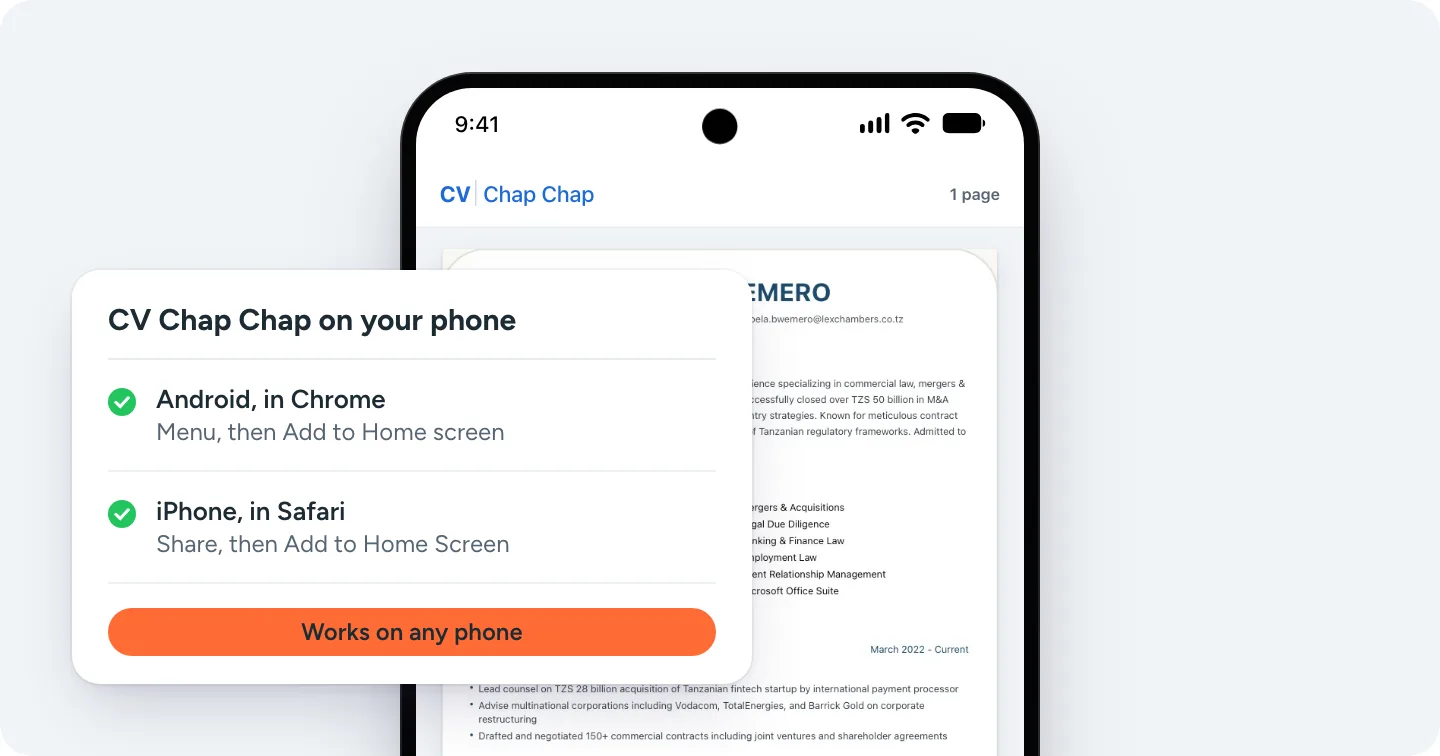
Add it to your Android phone
- Open cvchapchap.com in Chrome.
- Tap the menu (three dots) at the top right.
- Tap Add to Home screen, then Add. CV Chap Chap opens from its own icon.
Not on Google Play: it will download from this page. Until then, add CV Chap Chap to your home screen.
Add it to your iPhone
- Open cvchapchap.com in Safari.
- Tap the Share button.
- Tap Add to Home Screen, then Add. CV Chap Chap opens from its own icon.
When the Android app arrives, download it only from this page. Any other site offering a CV Chap Chap APK is not us.
What to check before you pick a CV maker app
The best CV maker app is the one that gives you a CV you can send without surprises. Check these five things first, whichever app you choose.
Can you see the whole CV before paying?
A good CV maker app lets you build and preview everything first.
Is it one payment or a subscription?
Many resume apps start a trial that renews every week or month. Read the price screen before you tap.
Does the PDF have a watermark or the app's logo?
The CV you send should carry your name only.
Can hiring software read it?
Real text, standard headings and a clean layout. Test it with a free ATS check.
Can you edit it later?
You will update your CV for every job. Check that edits do not cost again.
Comparing apps? See our honest reviews of Zety, Resume.io and Kickresume, then test your CV with the free ATS CV checker.
CV maker app questions
CV Chap Chap works like an app on any phone: open cvchapchap.com and add it to your home screen from Chrome on Android or Safari on iPhone. A downloadable Android app is coming soon on this page.
Not at the moment. The Android app will be a direct download from cvchapchap.com/cv-maker-app, so mobile money and card payments stay the same as on the website. Until then, add CV Chap Chap to your home screen from Chrome.
Only ever download it from cvchapchap.com. The app opens the same CV builder as the website and asks for no special permissions, and this page shows the file's SHA-256 checksum so you can check it.
Building and previewing your CV is free. You pay once to download the finished CV as a PDF and Word file. There is no subscription, and later edits and downloads of that CV are free.
Open the CV Chap Chap app or cvchapchap.com on your phone, pick a design, fill in your details, work experience, education and skills, write a short summary, then preview the CV and download it as a PDF.
One that lets you preview the whole CV before paying, charges once rather than by subscription, puts no watermark on the PDF, and makes a CV hiring software can read. CV Chap Chap was built for exactly that, and for phones first.
It needs an internet connection to load, save and download your CV. What you have typed stays on your phone if the connection drops.
The app is the step-by-step CV builder. The AI CV Agent, which writes your CV with you in a chat, opens in your phone's browser from cvchapchap.com/ai-agent.