ChatGPT CV maker or CV Chap Chap: which makes a better CV?
ChatGPT as a CV maker is a good writing partner, but it gives you text. A CV also needs a design employers expect, a file hiring software can read, and a check before you send it. Here is an honest look at what each one does.
Want to write your CV with ChatGPT step by step? How to make a ChatGPT CV: prompts and checks
Updated 2 November 2026.
The short answer
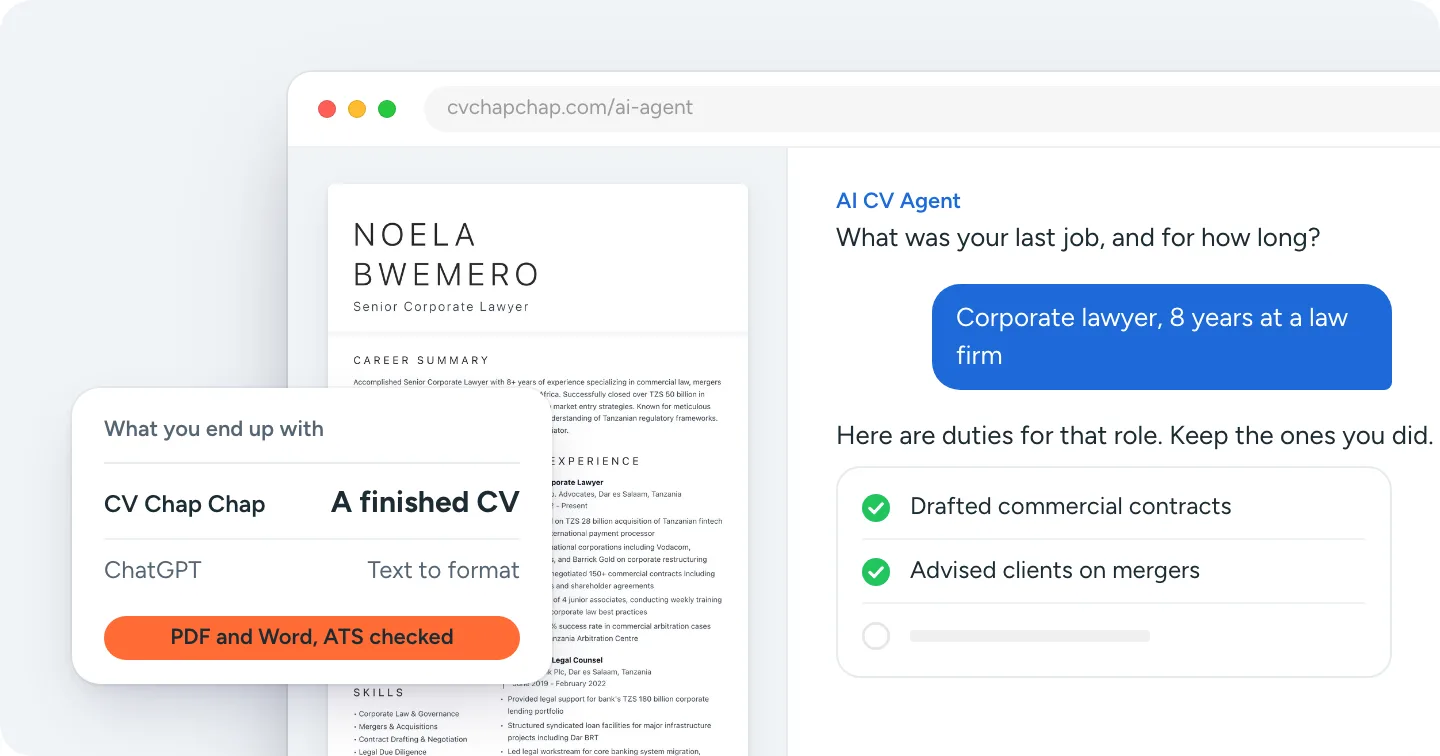
Use ChatGPT to brainstorm. Use CV Chap Chap to finish and send.
ChatGPT is enough when
- You only need ideas for a few bullet points
- You will design, format and check the CV yourself
- You are working on a laptop with Word
CV Chap Chap fits better when
- You need a finished, designed PDF, not just text
- You want a free ATS score before you apply
- You are doing it all on your phone
What each one actually does for your CV
Compared on the jobs a CV has to do, with what each one does today.
Building it in a chat
Answer questions and watch the CV take shape
ChatGPT
PartlyA good chat, but it ends in text, not a CV
CV Chap Chap
YesThe AI CV Agent asks step by step and fills a real CV as you go
Writing the words
Turning rough notes into clear bullet points and a summary
ChatGPT
YesStrong drafts, but may add numbers you never gave it
CV Chap Chap
YesSuggestions built from what you tell it; numbers left for you
A finished design
A layout employers recognise, sized for A4
ChatGPT
NoText you paste into Word and format yourself
CV Chap Chap
Yes80 templates, with and without a photo
Easy for hiring software to read
Standard headings and text that ATS software can parse
ChatGPT
DependsDepends on the document you build yourself
CV Chap Chap
YesTemplates use standard headings and real text
An ATS score for your file
A check of how software reads your actual CV
ChatGPT
NoCan give tips, cannot test the file you send
CV Chap Chap
FreeUpload a CV, get a score out of 100 and every issue
Start from your old CV
Turn an existing PDF or Word CV into a better one
ChatGPT
PartlyCan read a file, then you rebuild it by hand
CV Chap Chap
YesUpload it and your details are filled into a new design
A file to send
Something you can attach to an email or upload to a portal
ChatGPT
PartlyCopy, paste and format, then save as PDF
CV Chap Chap
PDF and WordA clean PDF and a Word file, no watermark once paid
Matching a job advert
Answering what one specific employer asked for
ChatGPT
PartlyIf you paste the advert and prompt it well
CV Chap Chap
YesPaste the advert into the AI CV Agent; it aims your summary and skills at that job
A cover letter
A one-page letter for the same job
ChatGPT
YesPlain text, often generic unless you guide it
CV Chap Chap
FreeWritten from the advert and your experience, signed, PDF
Works on a phone, pays like a phone
Built for a small screen and local payment
ChatGPT
PartlyThe app works on phones; formatting a CV there is hard
CV Chap Chap
YesBuilt phone-first. Mobile money in Tanzania, card elsewhere
Cost
What it takes to get a finished CV
ChatGPT
Free planPlus your time to design, format and check it
CV Chap Chap
US$9.99 onceFree to build and preview; US$9.99 once to download in the US and Canada, US$3 elsewhere. No subscription
One gives you text. The other gives you a CV.
The same request: “Improve my CV for an accountant job at a bank.” An illustration of the typical result, not a real customer.
ChatGPT
Text in a chat
Improve my CV for an accountant job at a bank.
Here is an improved experience section:
**Accounts Assistant, Mzizi Wholesalers**
- Spearheaded financial reporting for 15 branches
- Reduced reconciliation errors by 40%
- Leveraged synergies across finance teams
“15 branches” and “40%” were never in your notes
Still needs a design, an ATS check and a PDF
CV Chap Chap
A designed, checked CV
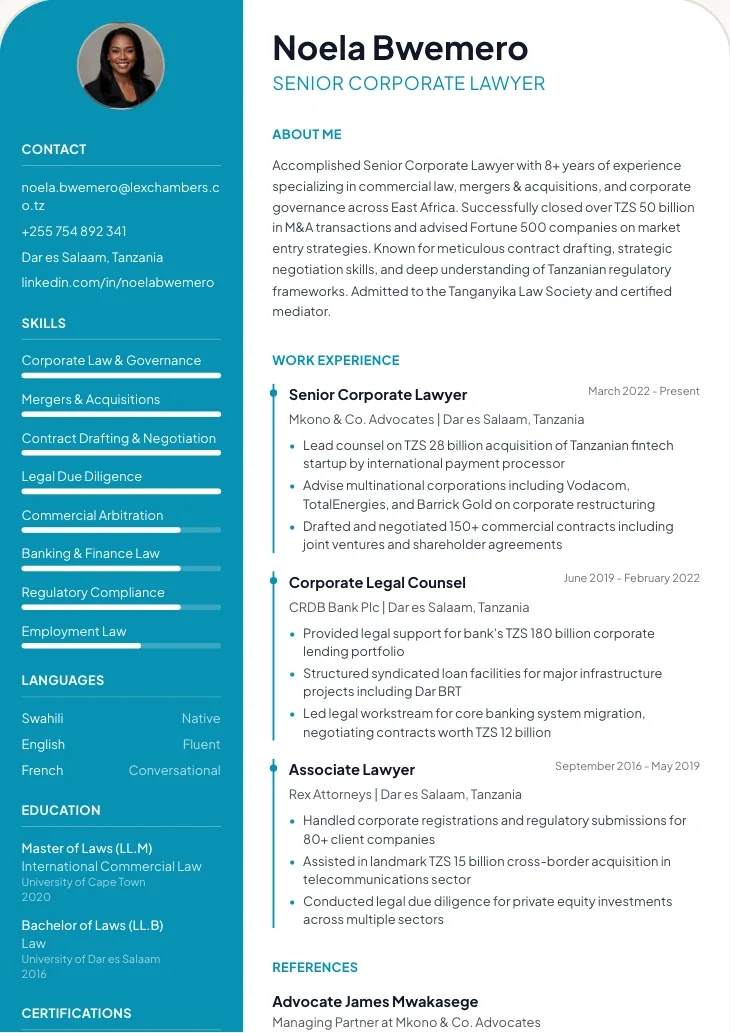
Accounts Assistant, Mzizi Wholesalers
· Prepare monthly bank and supplier reconciliations.
· Help prepare VAT returns for filing with TRA.
· Process supplier payments on time each month.
Only what you told it, in plain words
In a finished A4 design, ready to check and download as a PDF
How to make a CV with ChatGPT: 3 prompts that keep it true
Fill in the brackets with your own facts. Each prompt tells ChatGPT not to invent anything.
1. Turn duties into bullet points
Here are my duties as [job title] at [employer], [start] to [end]: [paste your notes]. Rewrite them as 4 short CV bullet points that start with a verb. Do not add numbers, results or skills I did not mention.
2. Write a short summary
Write a 3-line CV summary for a [job you want] with [years] years as [current job]. Use only these facts: [paste facts]. Plain words, no buzzwords, no first person.
3. Aim it at one job advert
Here is a job advert: [paste advert]. Here is my CV text: [paste CV]. List which of my real skills and duties match the advert, and which advert requirements I have not shown. Do not invent experience.
Then bring the text here: paste it into the builder's sections, or save it as a Word file and upload it. Or skip the copying and let the AI CV Agent ask the questions for you.
Or use both
Keep ChatGPT for ideas. Bring the words here to turn them into a CV you can send.
- 1
Draft in ChatGPT if you like
Use it to brainstorm achievements or reword a job. Keep only what is true.
- 2
Bring it into CV Chap Chap
Paste each part into the matching section, or save your draft as a Word or PDF file and upload it.
- 3
Pick a design and check it
Choose one of 80 templates, run the free ATS check, fix what it finds.
- 4
Download and apply
Preview everything free, then download your PDF when it is ready.
ChatGPT and CVs, answered
Something else? Message us on WhatsApp.
It can draft good bullet points and a summary from your notes. It does not give you a finished design, test your file against hiring software or produce a ready PDF, so you still finish the CV yourself.
Give it your real jobs, dates and duties, ask it to rewrite them as short CV bullet points without adding numbers, then ask for a three-line summary. Check every line is true. Then paste the text into a CV builder, or save it as a Word file and upload it to CV Chap Chap, to get a designed, ATS-checked PDF.
Yes, as a writing helper. Employers judge what is on the page, not the tool. The risks are generic wording that sounds like everyone else, and numbers or skills that are not true and fall apart at the interview. Keep only what you can explain.
Often they can tell when a CV is generic: the same phrases, no specific facts, inflated words like "spearheaded". They rarely care how you wrote it. A CV with your real duties, places and results reads as yours, whoever helped with the wording.
A general chatbot like ChatGPT is best for brainstorming and rewording. A CV builder is best for the finished document. CV Chap Chap's AI CV Agent does both in one chat: it asks for your details step by step and fills a real CV as you go, which you then check with the free ATS checker.
Yes. The AI CV Agent and the form builder's suggestions run on OpenAI models, the same family behind ChatGPT, with rules written for CVs: use only what you tell it, never invent numbers, keep the wording plain. You review every suggestion.
Building and previewing your CV is free, and so are the ATS checker and the cover letter builder. Downloading a finished resume is US$9.99 once in the US and Canada, and a CV is US$3 once elsewhere (TZS 5,000 by mobile money in Tanzania). There is no subscription.
No. CV Chap Chap is an independent product. ChatGPT is a trademark of OpenAI. We use OpenAI's models for the writing help, as a paying customer.
Keep going
- AI CV Agent
Build your CV in a chat, step by step
- Free ATS CV checker
Score the file you are about to send
- Upload your CV
Rebuild a ChatGPT draft or old CV in a template
- CV templates
80 designs, with and without a photo
- Cover letter generator
Free, written from the job advert
- Resume.io alternative
Builders with subscriptions, compared
Draft anywhere. Finish your CV here.
Bring your notes or your ChatGPT draft, and leave with a designed, checked PDF.
ChatGPT is a trademark of OpenAI. CV Chap Chap is not affiliated with OpenAI.