CV PDF or Word: Which File to Send and When
PDF, unless they ask for Word. Why that is the rule, the three cases where Word wins, how to name and size the file, and how to convert on a phone or laptop.

Alexander Phillip
Career Coach and Recruitment Expert
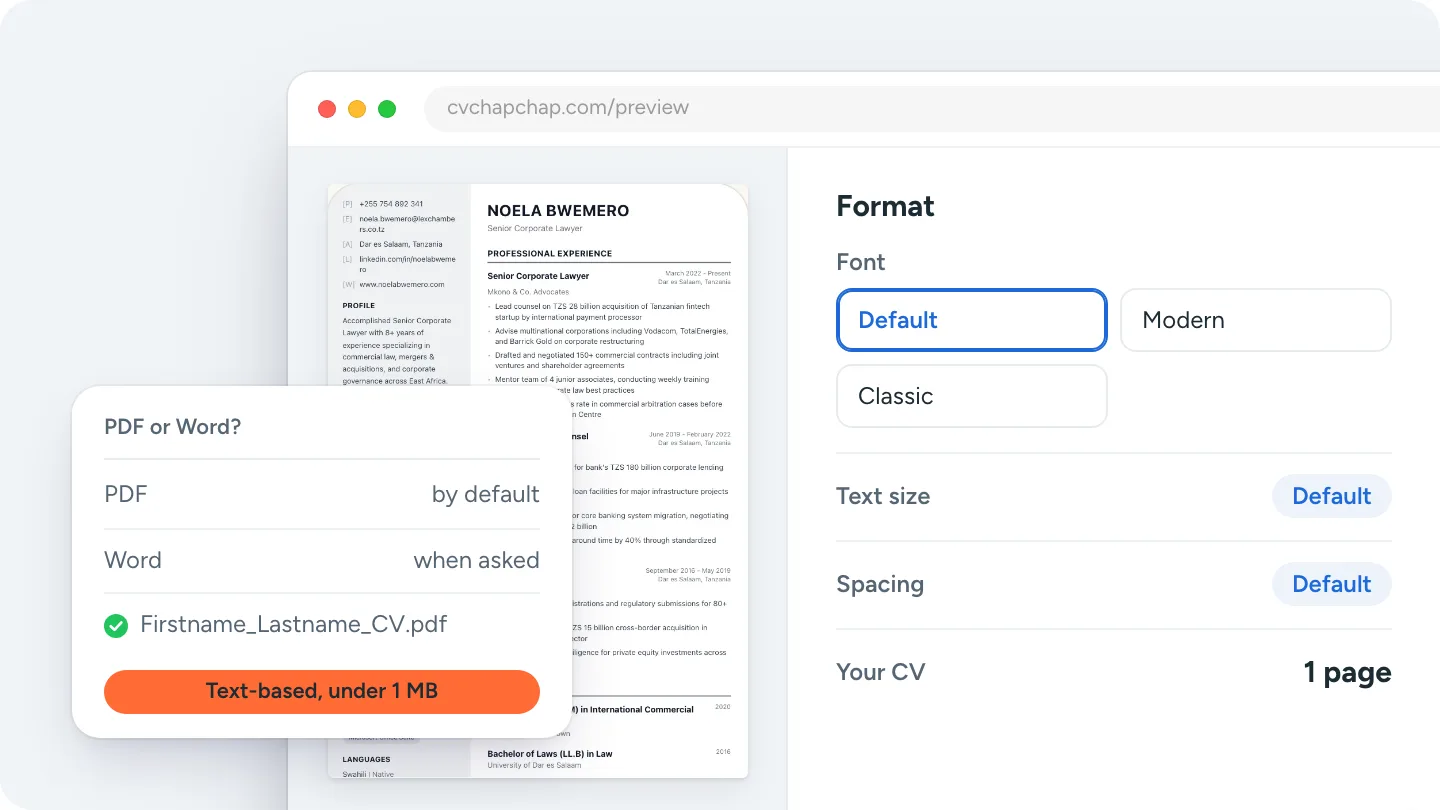
Short answer: send your CV as a PDF unless the job advert or the application form asks for a Word file. A PDF looks exactly the same on every phone, laptop and printer, cannot be edited by accident, and is read correctly by modern applicant tracking systems as long as it is a text-based PDF and not a scan. Send Word (.docx) when the employer or agency asks for it, when the form only accepts .doc or .docx, or when a recruiter needs to edit your CV before passing it on. Name the file Firstname_Lastname_CV.pdf and keep it under 1 MB.
This guide settles CV PDF or Word for each situation, explains what screening software can and cannot read, and shows how to convert between the two on a phone or a laptop.
PDF or Word: the rule and the reasons
| Situation | Send | Why |
|---|---|---|
| Advert says nothing about format | Layout fixed, fonts embedded, opens anywhere, cannot be changed by accident. | |
| Advert or form asks for Word | Word | Some systems and agencies parse or edit .docx; sending PDF can fail the upload or the request. |
| Recruitment agency | Ask, else Word | Agencies often strip contact details and add their logo before sending to clients. |
| Email to a small employer or by WhatsApp | Opens on any phone without an app; Word files can render strangely on phones. | |
| Online form with a file picker | PDF unless it lists .doc/.docx only | Most accept both; read the allowed types under the button. |
| Printing at a cyber cafe or office | No font or margin surprises on the printer. |
Can applicant tracking systems read a PDF?
Yes, if the PDF contains text. Modern applicant tracking systems (ATS) parse text-based PDFs as well as Word files. What they cannot read is a scanned CV or a photo of a CV saved as PDF, because there is no text in it, and they read badly anything with two columns, tables, text boxes or text in the header. The test takes ten seconds: open your PDF and try to select a word with the cursor. If you can, it is text-based. Our free ATS CV checker runs the full check, and why CVs get rejected by ATS explains the layout rules.
When Word is the right answer
- The advert asks for it. Follow instructions; it is the first test.
- The form only accepts .doc or .docx. Older government and corporate systems still do.
- An agency will edit it. They need the editable file to anonymise it or add their branding.
- A template or form must be filled in. Some employers send their own Word CV form; fill that, not your own.
When you send Word, send .docx (not .doc or .pages), check it on another device if you can, and keep fonts standard so they do not substitute.
File name, size and what to avoid
- Name: Firstname_Lastname_CV.pdf, or add the role: Amina_Wanjiru_CV_Cashier.pdf. Never "CV final v3" or "Document1".
- Size: under 1 MB is safe for every form and WhatsApp. A text CV with no photo is usually under 200 KB; a scanned CV can be 5 to 20 MB and often fails to upload.
- Avoid: photos of a printed CV, screenshots, Google Docs links that need permission, zip files, and password-protected PDFs.
- Keep both: a PDF to send and an editable version to update for the next job.
How to convert a CV between PDF and Word
Word to PDF
In Word: File, Save As (or Export), choose PDF. In Google Docs: File, Download, PDF Document. On a phone, both apps have the same options under the menu. If your CV lives in a CV builder, download the PDF directly; our guide shows how to make and save a CV on your phone.
PDF to Word
Open the PDF in Word (File, Open) and it converts, with layout loss on anything complicated. Google Docs can also open a PDF from Drive. The cleanest route is to rebuild from the original editable file; if you only have a PDF, upload it to our CV uploader, which reads the text into the builder, and download both a PDF and a Word copy from there.
Want both files from one CV, with the layout kept? Build your CV with the AI CV Agent.
Questions about CV file formats
Should a CV be in PDF or Word?
PDF, unless the advert asks for Word. A PDF keeps your layout identical on every device and is read by modern screening software; Word is for employers and agencies that ask for an editable file.
Is a PDF CV ATS friendly?
Yes, when it is text-based and single-column. A scanned PDF or one with text in images is not, in either format.
Which is better for email, PDF or Word?
PDF. It opens on any phone or computer without the right app or fonts, and it cannot be changed on the way. Attach it rather than pasting the CV into the email body.
Should I send both PDF and Word?
Only if asked. Two files make the recruiter choose and can confuse the upload. Send the one the advert asks for, or PDF when it does not say.
Does a PDF CV need to be under a certain size?
Most forms cap uploads between 2 and 5 MB, and WhatsApp and email handle anything small. Keep it under 1 MB: no scans, a compressed photo if you include one, and standard fonts.
Download both from one CV
Build your CV once in a clean design from the CV templates, preview the whole document, and download a PDF for most applications and a Word copy for the employers that ask. The file is named with your name automatically.
That settles CV PDF or Word: PDF by default, Word when asked, a text-based file either way, named properly and under 1 MB.
Frequently Asked Questions
Should I send my CV as PDF or Word?
PDF, unless the advert or form asks for Word. A PDF looks the same on every device and is read by modern applicant tracking systems. Send .docx when an employer or agency asks for an editable file.
Can ATS systems read PDF CVs?
Yes, as long as the PDF is text-based and single-column. Scanned PDFs, photos of CVs and layouts with tables or text in headers are read badly in any format.
What should I name my CV file?
Firstname_Lastname_CV.pdf, optionally with the role, for example Amina_Wanjiru_CV_Cashier.pdf. Avoid names like CV final v3 or Document1.
How big should a CV file be?
Under 1 MB. A text-based CV without a photo is usually under 200 KB. Scanned CVs are often 5 to 20 MB and fail many uploads.
How do I convert my CV from Word to PDF on my phone?
In Word or Google Docs on your phone, open the menu and choose Save as, Export or Download, then PDF. Or build the CV in a CV builder and download the PDF directly.
Ready to Create Your Professional CV?
Put these tips into practice. Build a stunning, ATS-friendly CV in under 3 minutes with CV Chap Chap.
Create Your CV Now